 Little Footprints
Know where your child's day has been.
A small Find Hub tag in their bag or coat. The app tells you, in plain words, where it was last seen and where they've been today.
Works only with Google: Android phones and tags on Google's Find Hub network. Apple (iPhone, Find My, AirTags) isn't supported.
Plain words
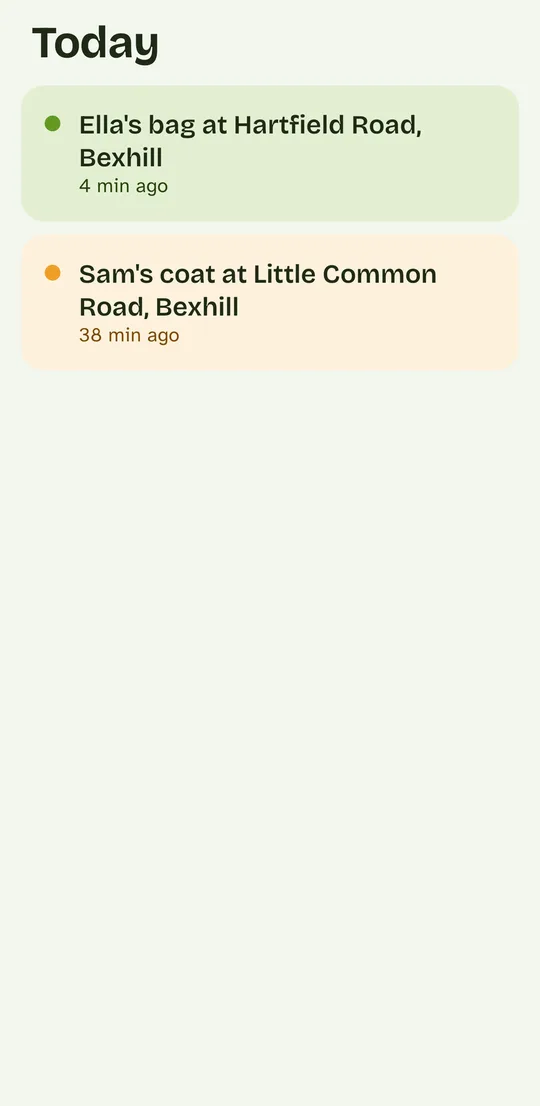
"Ella's bag, Hartfield Road, 4 minutes ago." No coordinates, no blue dot to decode.
Their whole day
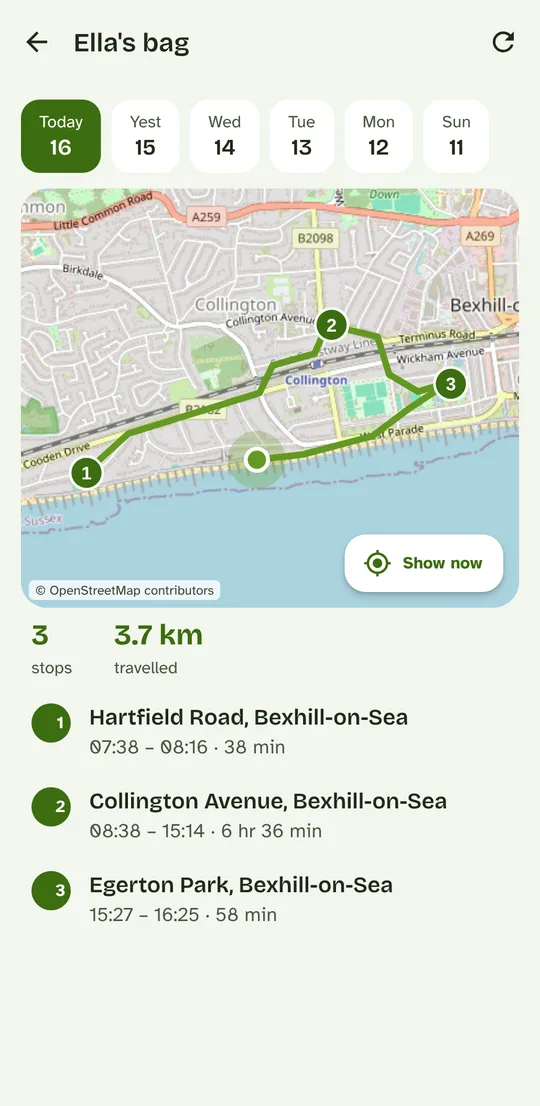
Where it started, each stop and how long, and where they were last seen, on a map and as a list.
Calm colours
Green for seen recently, amber for a while ago. No alarms, no constant pings.
See the app
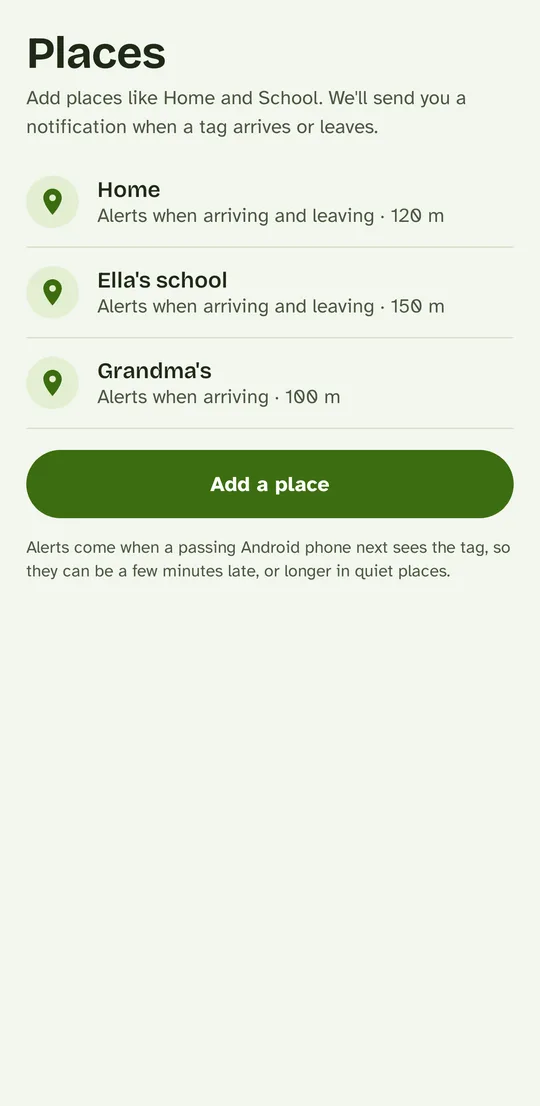
Want to try it? Install the app and tap Look around first to explore an example family, no account needed.
Calm by design
No red alarms and no constant pings. Three colours, each with one meaning, and plain words instead of coordinates.
It was designed with autistic children, and children who find change hard, in mind. Find Hub tags are small and silent, and most run for months on one battery.
- Ella's bag at Hartfield Road4 min agoGreen: seen recently.
- Sam's coat at Little Common Road38 min agoAmber: it's been a little while.
- Spare tag at homeYesterday, 6:12 pmGrey: not seen for a long time.
Up and running in three steps
Choose a plan
Monthly or yearly, with a 2-day free trial to set everything up first.
Get the app
Install Little Footprints from Google Play and sign in with the same email and password.
Link your tags
Sign in to the Google account your tags are on and tick the ones to follow. About five minutes.
You'll need a tag on Google's Find Hub network. Which tags work?
Which tag to get
We recommend Pebblebee tags for Android
Little Footprints is made for Pebblebee's Google Find Hub tags: the Clip, Tag or Card "for Android", or a Universal model set up on an Android phone. Small, loud when you need to find them, and rechargeable.
Buying a Universal model? Pair it in Google's Find Hub app on an Android phone, not Apple's Find My. If it was ever set up on an iPhone, reset it first (Pebblebee's instructions explain how).
Affiliate link: if you buy through it, we earn a small commission from Pebblebee, at no extra cost to you.
What it can't do
Little Footprints is not a live GPS tracker and not an emergency device.
The tag is found by Android phones that pass near it, so updates arrive when people are around: every few minutes in a busy town or school, less often in quiet places.
If you need second-by-second tracking for safety reasons, a cellular GPS device is the right tool. We'd rather tell you now than after you've paid. In an emergency, call 999.
Simple pricing
Priced per tag, and each extra tag costs less, so following all your children stays affordable. Try it free for 2 days.
Monthly
First tag. Each extra tag £5.00.
Yearly
First tag. Each extra tag £48.00.